
Nutrition
Log meals against your calorie and macro targets.
Set portions, reuse saved foods and schedule meals you repeat. Check your daily calories, protein, carbs and fat.
Explore nutrition toolsNUTRITION + TRAINING
Track calories and macros alongside your gym workouts. Get starting targets through guided setup, or enter your own and use meal schedules and reports to follow your plan.


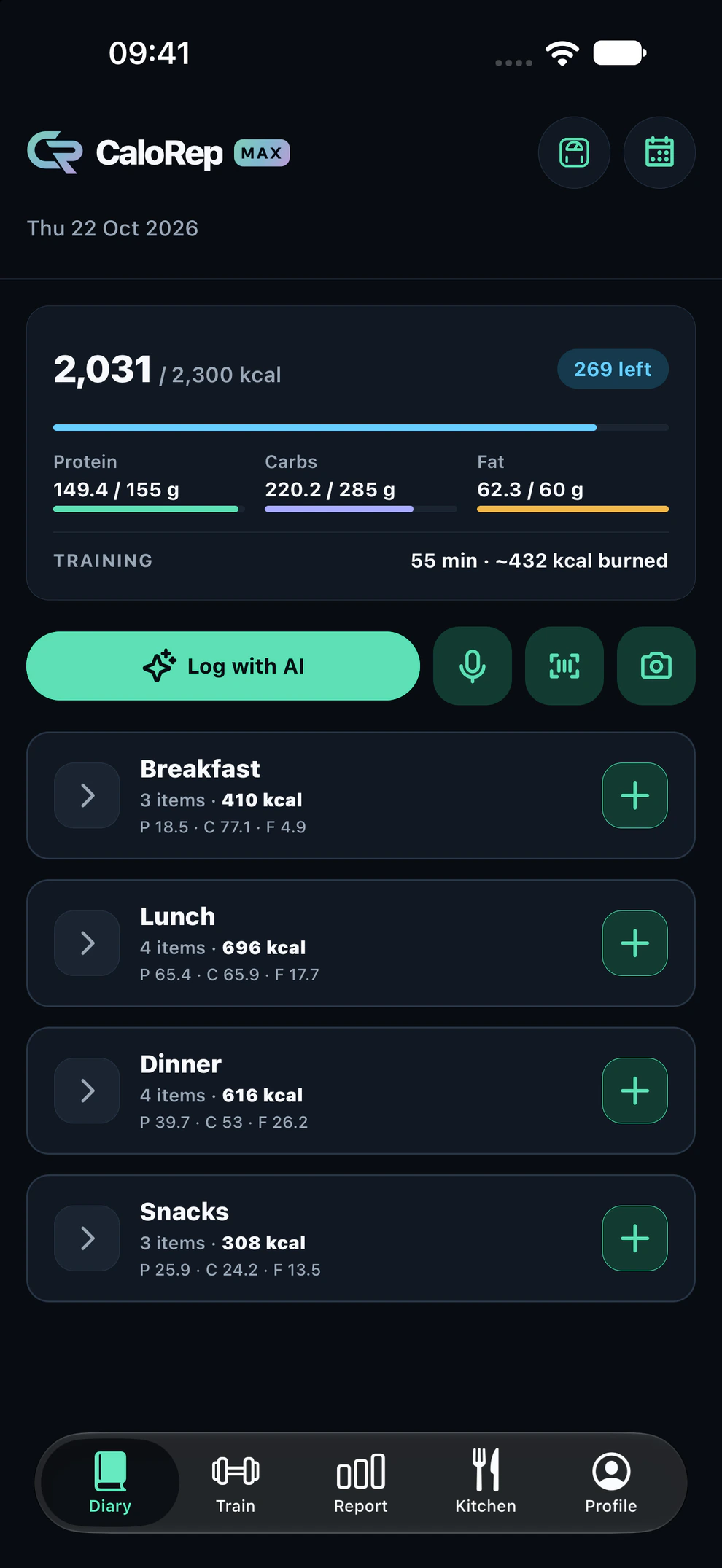
Your daily diary
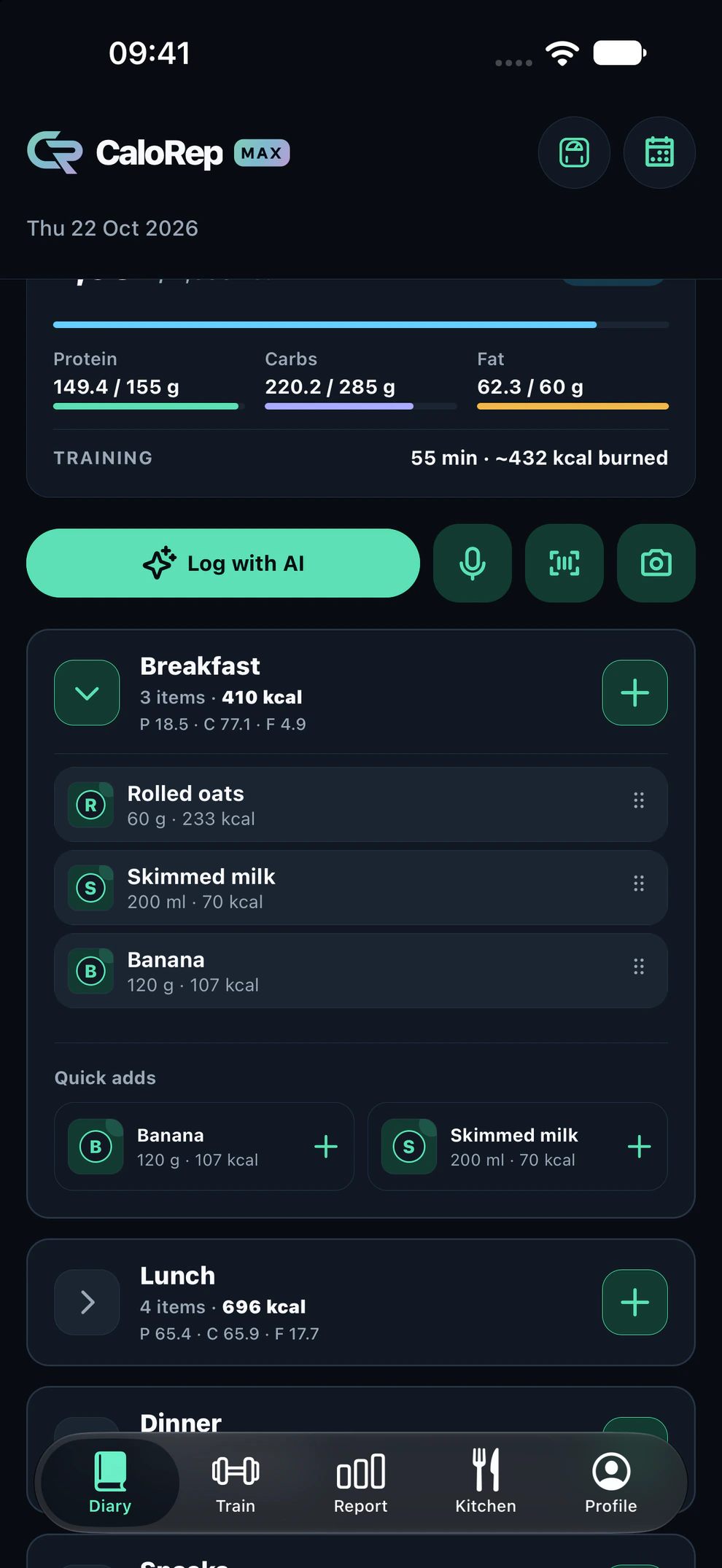
Meals and portions
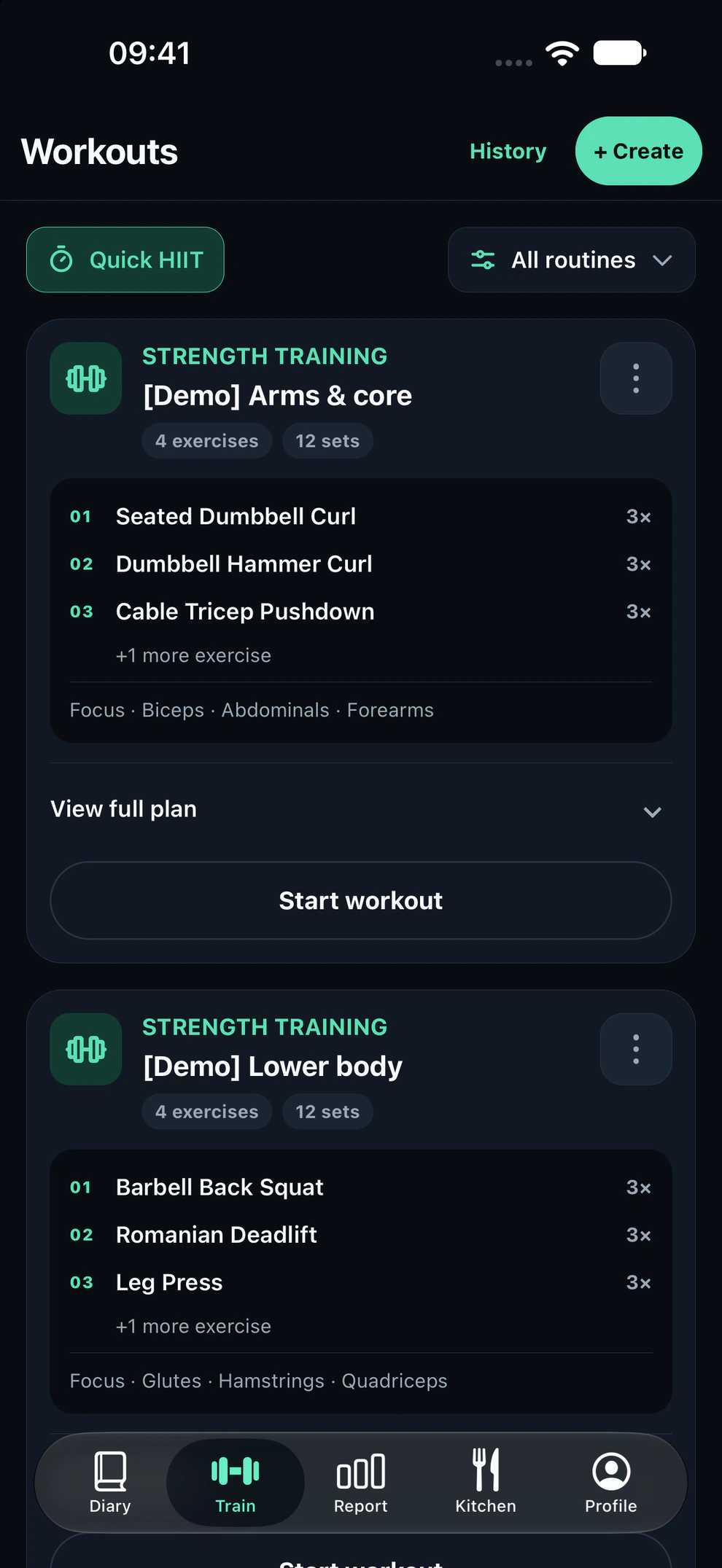
Your workout routines
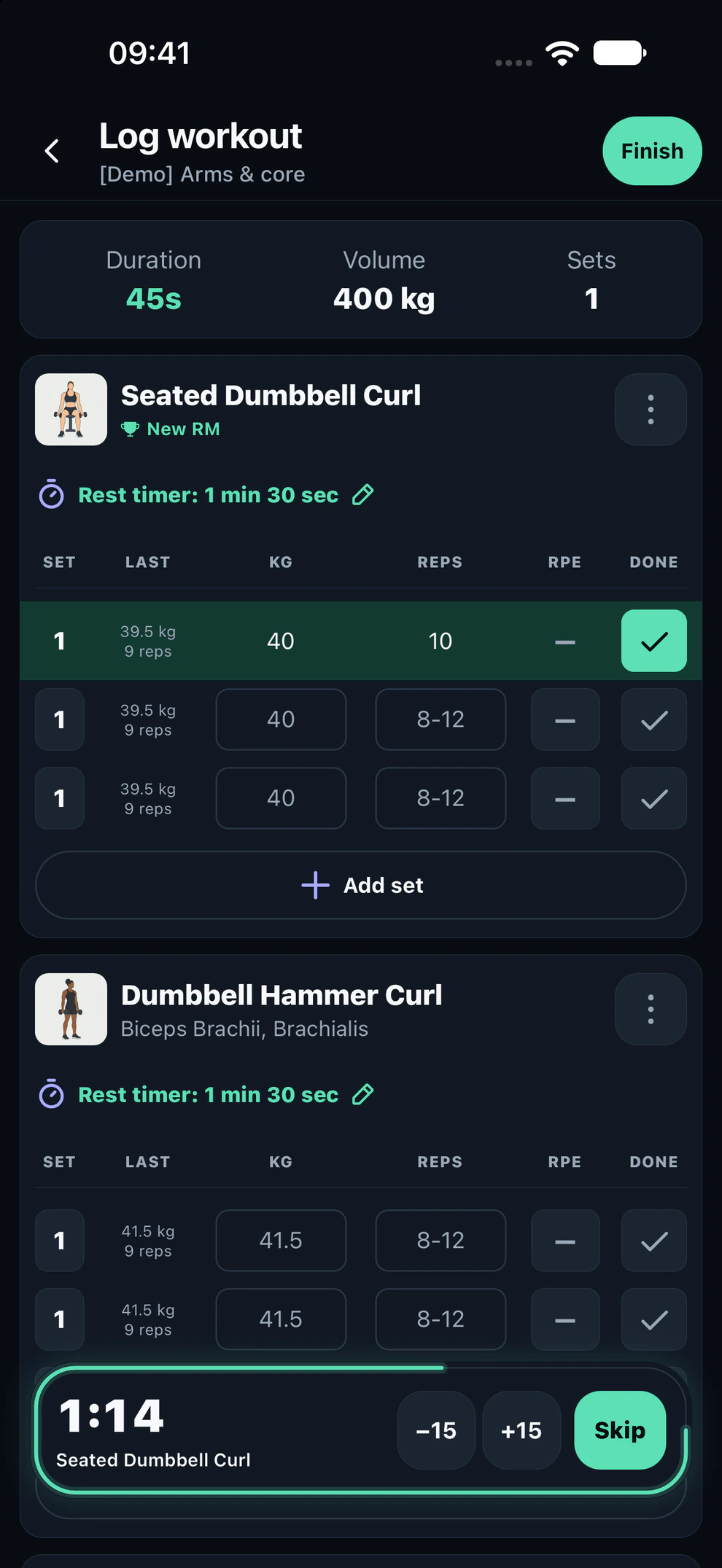
Log every set
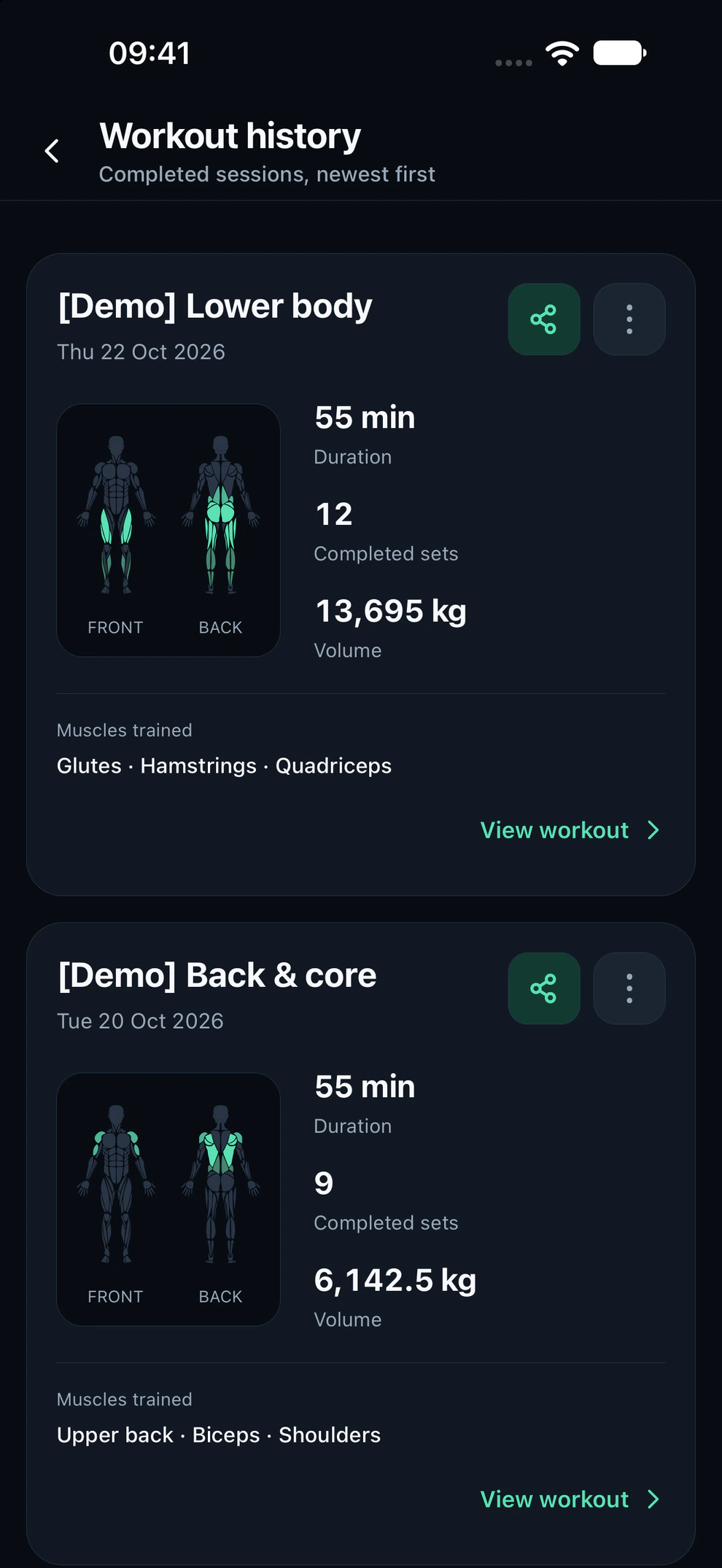
Your workout history
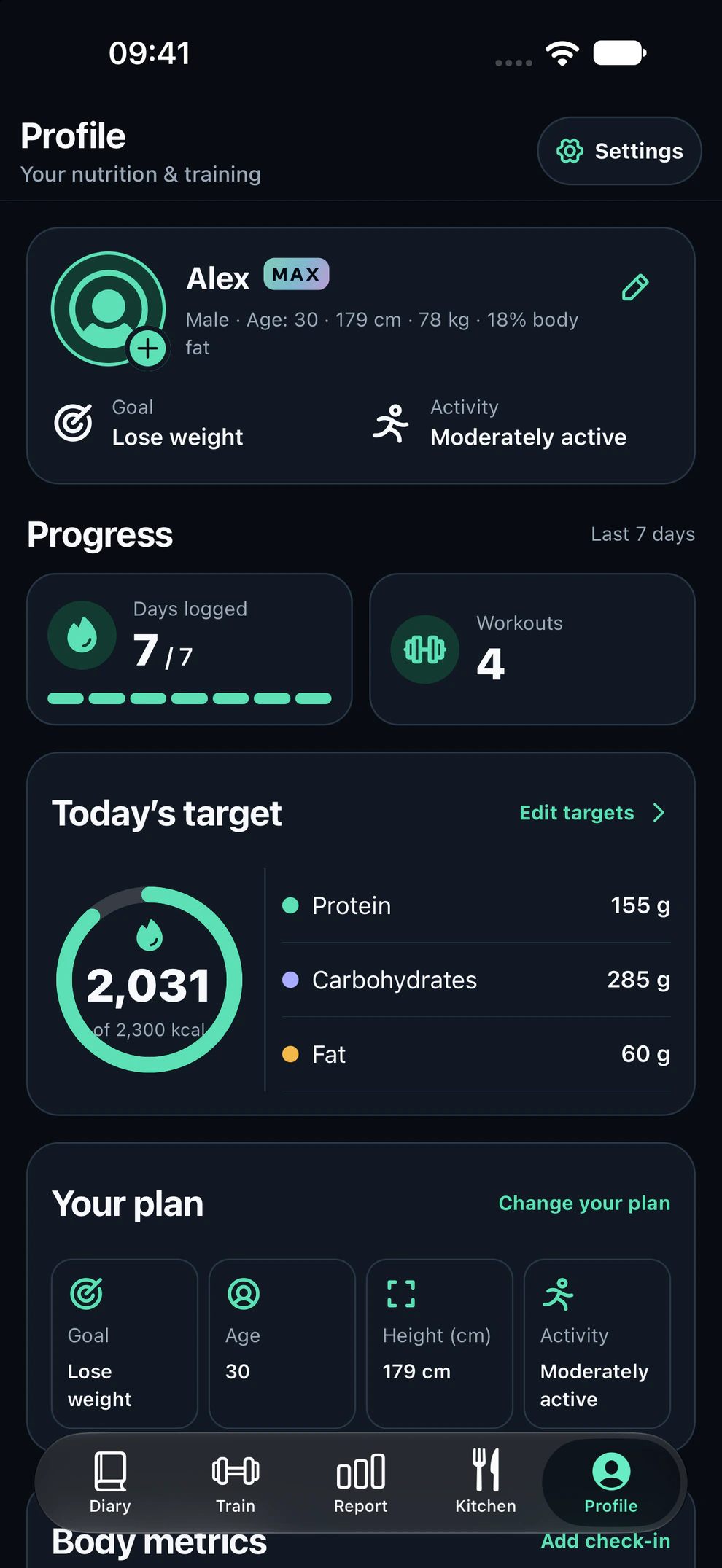
Your profile
Real app screens · Swipe to explore
Start with daily meals and workouts. Add meal schedules and detailed reports as your routine develops.
Log meals against your calorie and macro targets.
Set portions, reuse saved foods and schedule meals you repeat. Check your daily calories, protein, carbs and fat.
Explore nutrition toolsRecord sets, reps and weight.
Create a routine and record your sets as you train. Use rest timers and rate how hard each set felt with RPE. Completed workouts stay in your history.
Explore workout toolsLOG WITH AI
Describe your meal and quantities, or add a photo. Calorep prepares an entry for you to review and edit before saving.
Add a photo of your food.
Describe what you ate.
Describe your food and quantities.
AI estimates need your review. Connection, consent and credits required.
CALOREP MAX
Calorep MAX includes unlimited recipes, workout routines and meal schedules, advanced reports and 120 AI credits per paid subscription month.
AI credits don’t roll over. See the app for prices and trial eligibility.
Download Calorep| Your features | Free | MAX |
|---|---|---|
| AI credits / month | 5 | 120 |
| Food schedules | 1 active | Unlimited |
| Recipes | 3 | Unlimited |
| Workout routines | 4 combined | Unlimited |
| Quick HIIT | — | Included |
| Reports | Basic | Advanced |
| Themes | 2 | All themes |
| Kitchen tools | 3 | Unlimited |
| Sharing | All cards, default style | All cards and styles |
| Widgets | Small sizes | All sizes |
| Per-day targets | — | Included |
| Body measurements | Weight and body fat | All measurements |
| Set types | Normal and warm-up | All types |
| Core app features | Included | Included |
Free: 5/month. Paid MAX: 120 per subscription month. Eligible trial: 30 credits total. Unused credits expire.
Your existing history, basic nutrition and training reports, account controls, data export and deletion remain available on Free.
YOUR REPORTS
Compare your recorded calories and macros with your targets. Review training volume, workout history and body measurements over time.
Basic reports are included in Free. Advanced reports require Calorep MAX.
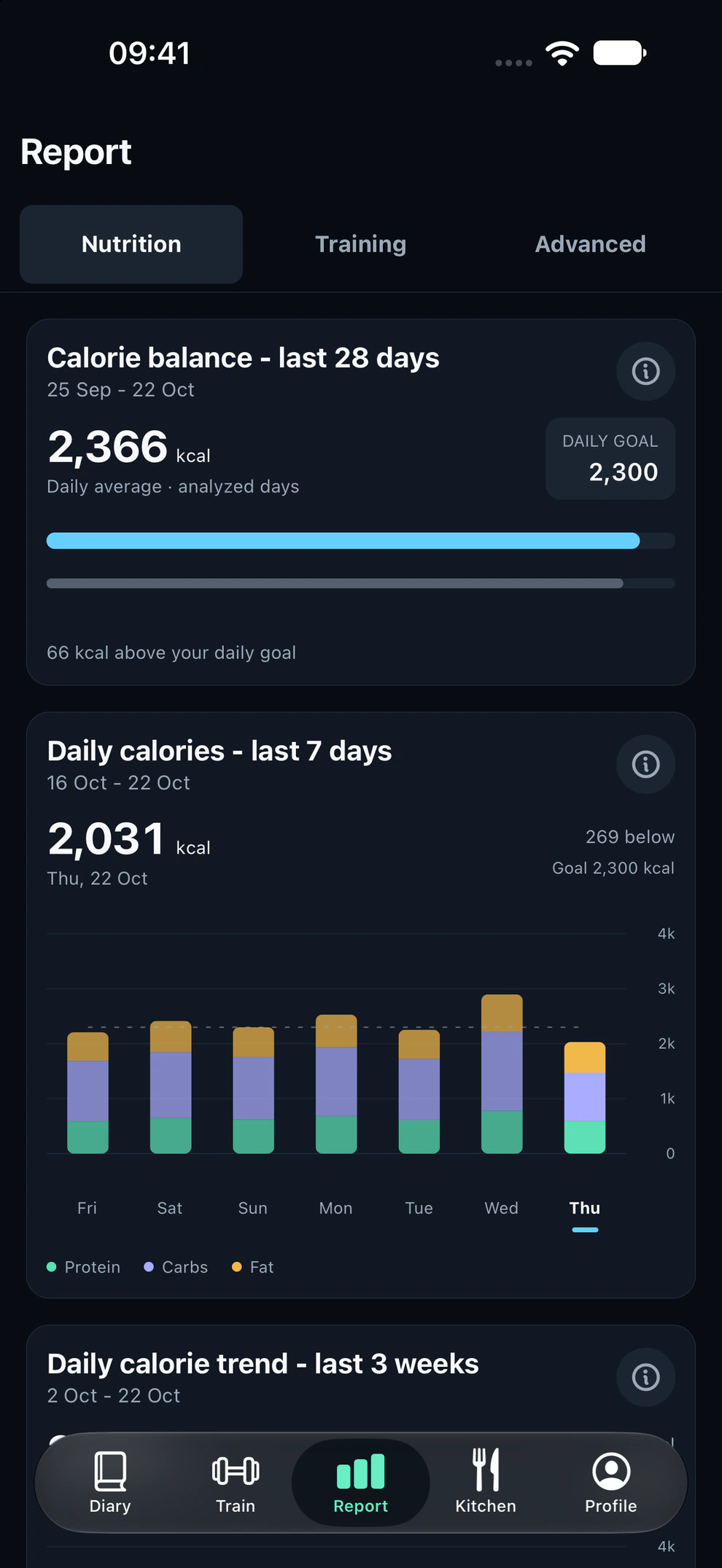
Nutrition report · Free
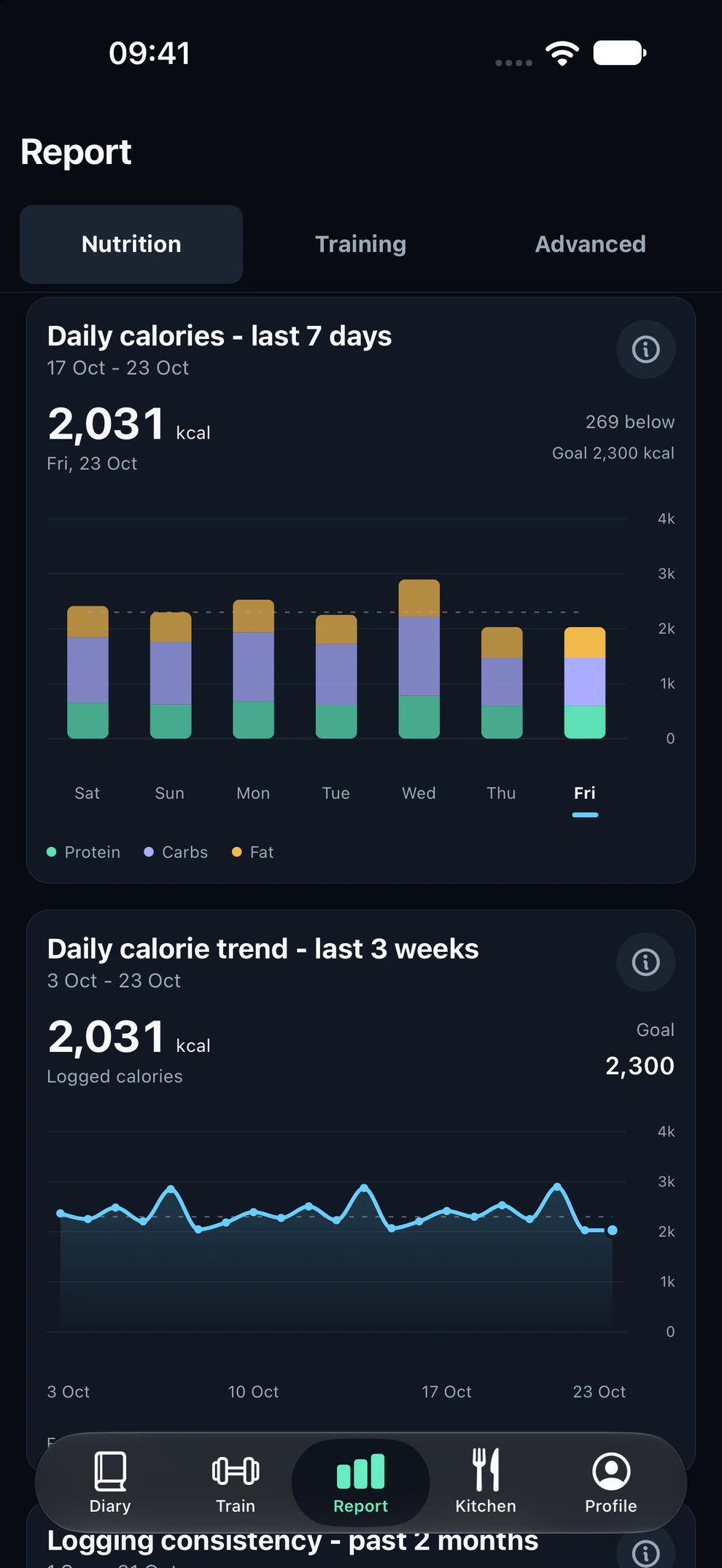
Your calorie trend
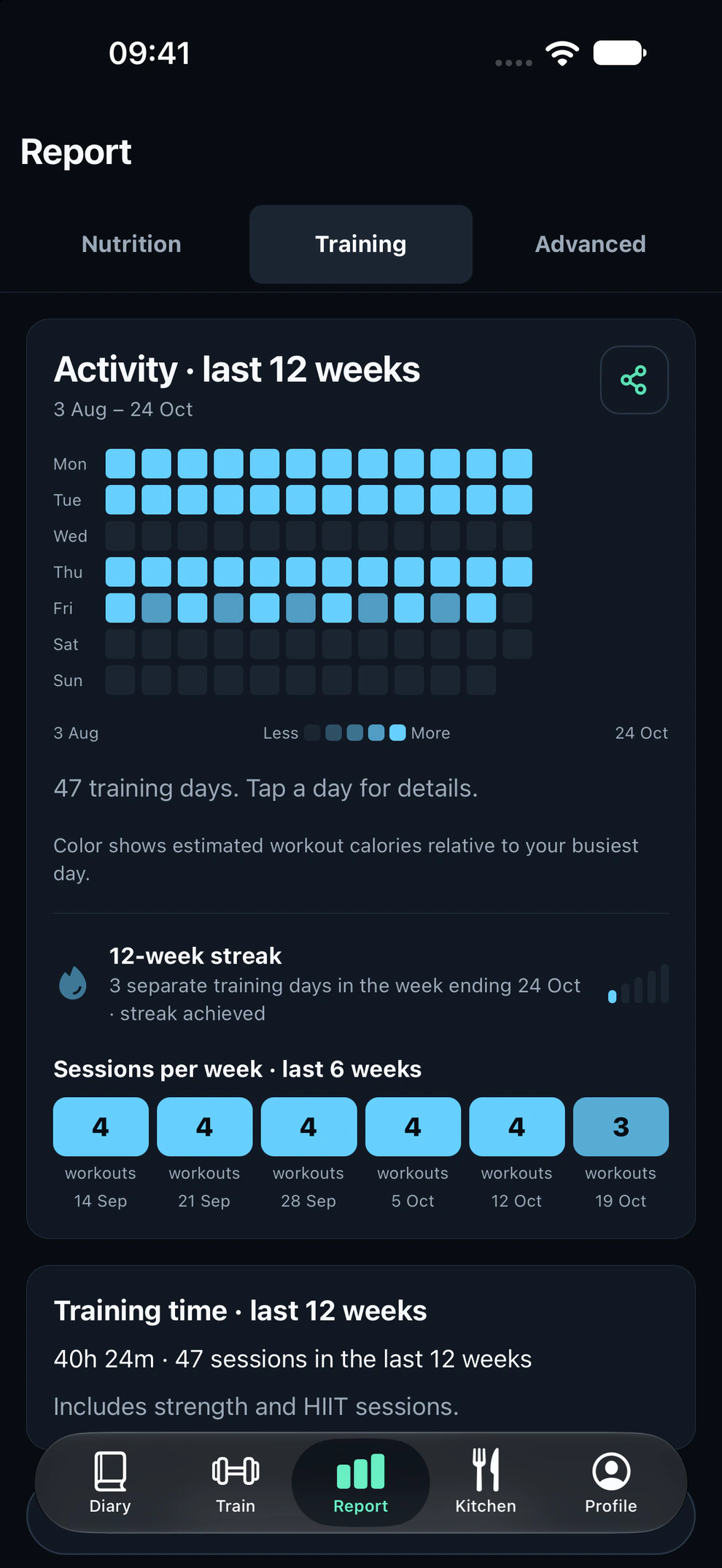
12 weeks of training
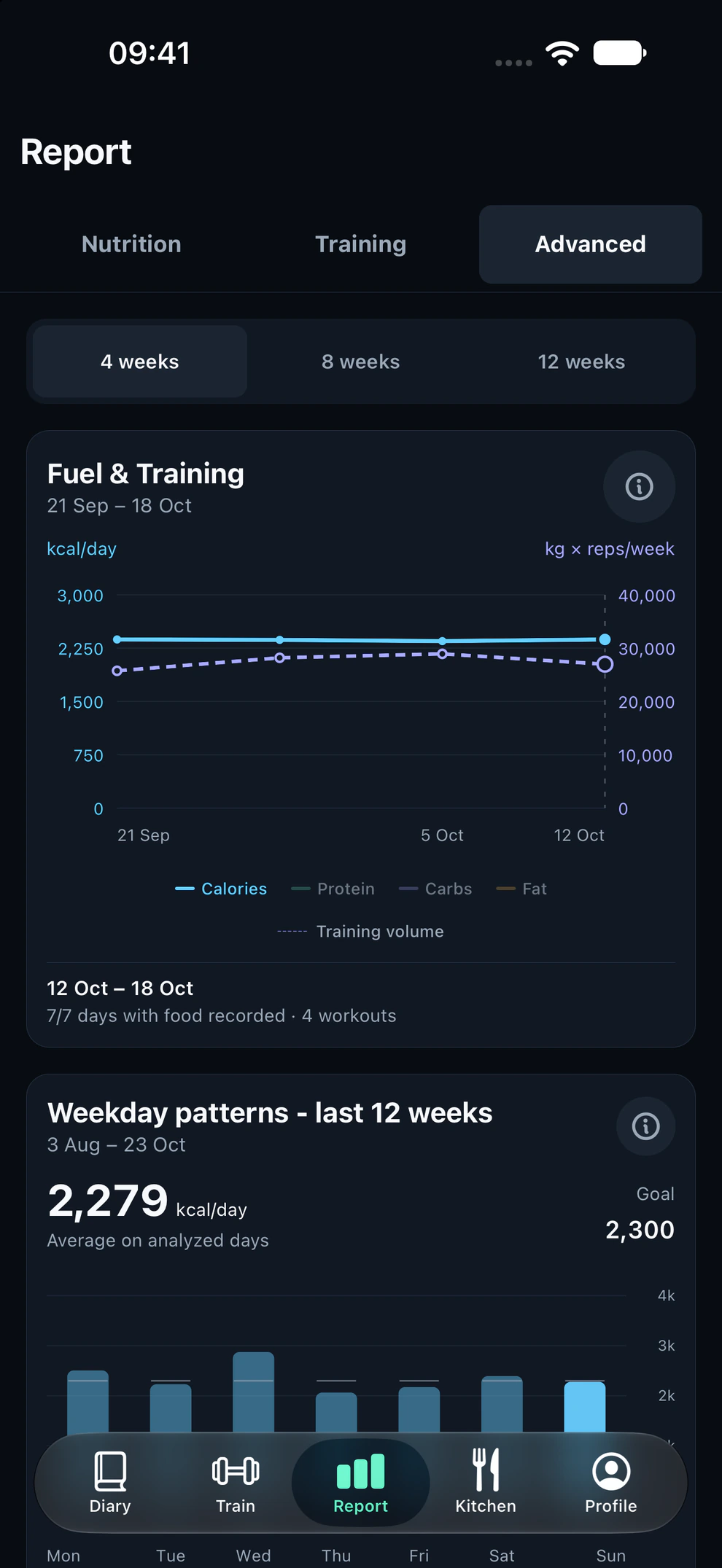
Advanced Reports · Calorep MAX
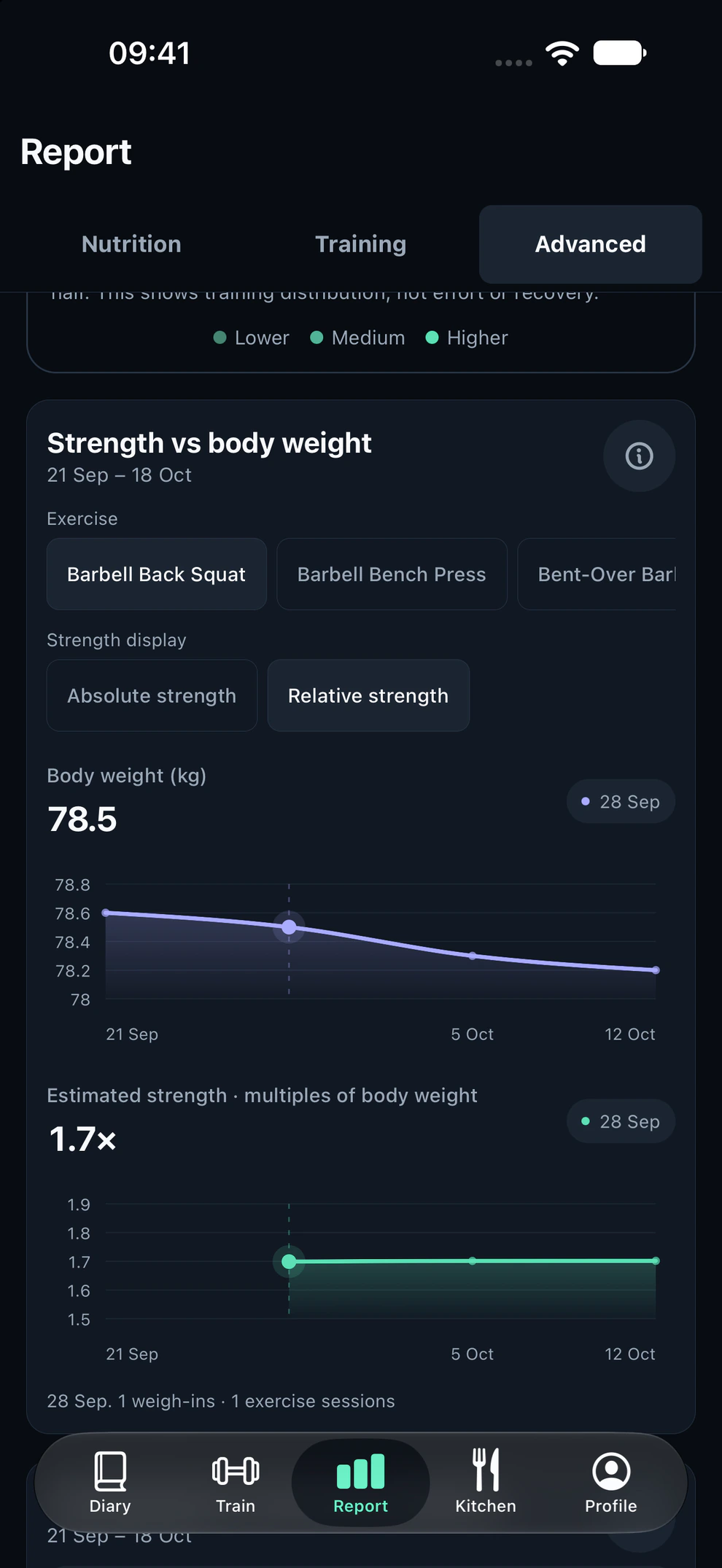
Strength & body weight · Max
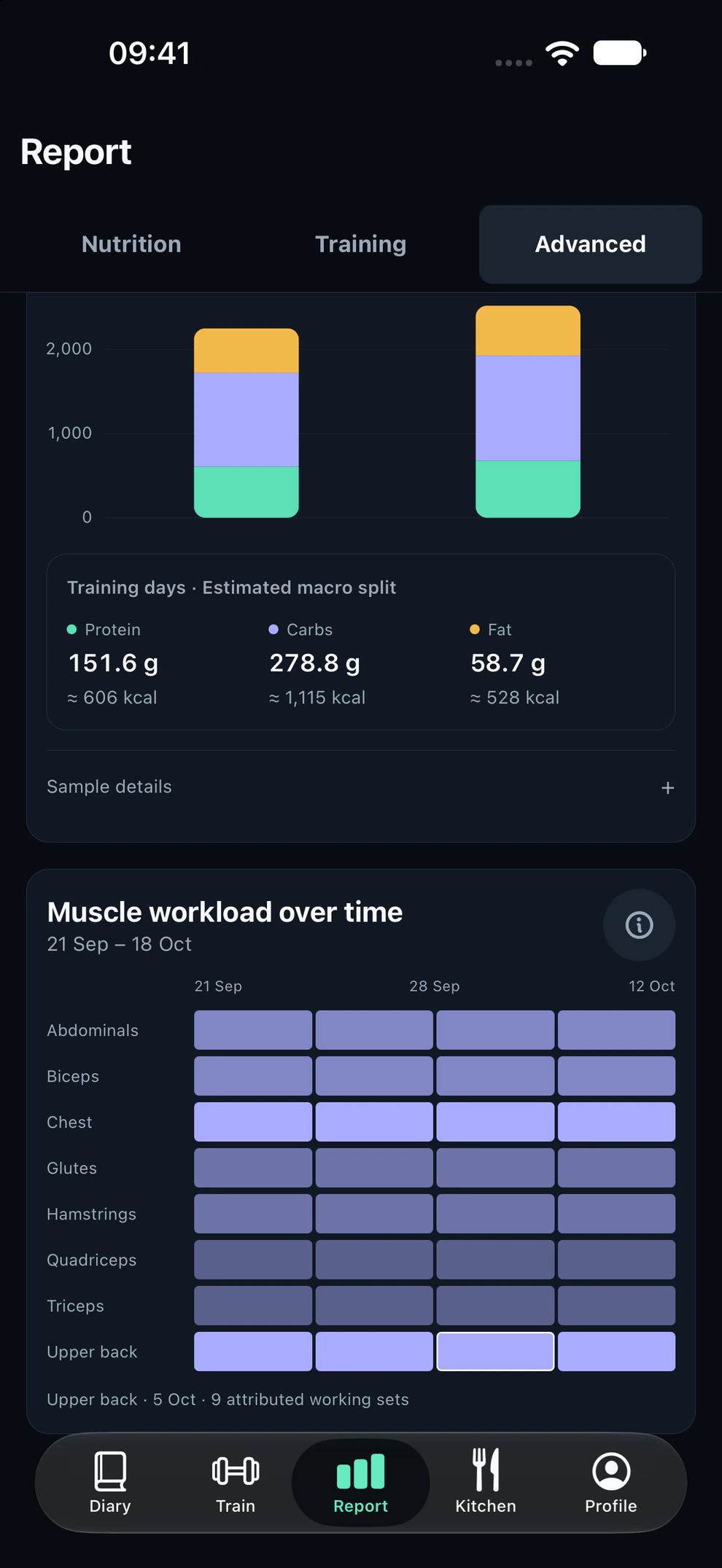
Muscle workload · Max
Real app screens · Swipe to explore
Preview Home and Profile in each app theme. Select a screen to enlarge it.
Home · Calorep
The tools behind your meals and workouts.
Track calories, protein, carbs and fat against your daily targets.
Create routines, record sets and compare completed workouts.
Save recipes with nutrition per portion. Schedule foods and recipes on the days you choose.
Use text, photos or voice to prepare entries. Review foods, quantities and nutrition before saving.
Review logged nutrition, workout history and body measurements over time.
Set your own calorie and macro targets, choose units and adjust the app’s appearance.
Feature availability depends on your device, app build and plan. AI requires internet access, consent and available credits.
Calorep is for people who want to track nutrition and gym training together. Guided setup offers a starting point if you are building a routine. Editable targets, meal schedules and detailed workout records support people who already follow a plan.
Yes. Calorep combines calorie and macro tracking with a workout log. You can save meals and recipes, record strength sessions and review nutrition and training reports in the same account.
Calorep Free includes manual food logging, food search, barcode scans, basic reports and workout tracking. It includes 3 saved recipes, 4 routines, 1 active meal schedule and 5 AI credits per month.
Calorep MAX covers nutrition and training in one subscription. It includes unlimited saved recipes, workout routines and meal schedules, advanced reports and 120 AI credits per paid subscription month. Check the purchase screen for the current price and billing terms.

GET CALOREP
Track calories, macros and strength workouts with Calorep.
WE’RE HERE TO HELP
Find answers about food logging, workouts, Calorep MAX and your account.
Meals, portions and AI reviews
↗Routines, sets and timers
↗Sign-in, exports and privacy
↗Search the food library, add a saved food or recipe, scan a barcode, or use Log with AI. Your diary groups entries into breakfast, lunch, dinner and snacks. You can edit portions and move entries between meals.
Calorep shows an AI food entry for you to review before saving. Check the foods, quantities and nutrition, then edit anything that needs correcting. AI estimates can be inaccurate, especially when a photo does not clearly show ingredients or amounts.
Yes. You can add a food photo or describe a meal by voice. Review the suggested foods, quantities and nutrition before saving. AI logging requires an internet connection, separate AI consent and available credits.
Calorep records strength exercises, sets, reps and weight. You can also record RPE, your rating of how hard a set felt, and use supersets and rest timers. Saved sessions appear in your workout history. HIIT routines are supported; Quick HIIT requires Calorep MAX.
Open Profile → Settings → Goals & nutrition → Targets & macros. Guided goal setup is also available under Goals & nutrition. Targets can be personalized; app calculations are estimates rather than medical advice.
The app returns to the welcome screen. Local data stays on the device, separated from other accounts. Finish or discard an active workout before signing out. Signing out does not delete your account.
Open Profile → Settings → Your data → Download my data for a readable export. Check whether the result includes cloud and device data or only device data. Keep exported files private; they can contain sensitive information. Recovery archives from earlier builds are separate from readable exports and are not encrypted by the app.
Check your connection for AI and synchronization. Review camera, microphone, photo and notification permissions in Profile → Settings → Privacy & AI → Permissions. Check for app updates under Profile → Settings → About Calorep. Download your data before reinstalling; unsynchronized device records can be lost.
Download Calorep from the App Store for iPhone or Google Play for Android.
Use the same sign-in provider and account you originally used. Different accounts keep separate records. Check your connection and Profile → Settings → Account for saving status, sign-in prompts or retry options. Do not delete or reinstall the app while unsynchronized records remain on your device. If you contact support, include the app version, device and error message without passwords or authentication codes.
Check the Calorep purchase screen for current MAX prices and billing terms. Manage or cancel your subscription in the store where you purchased it. Deleting your Calorep account does not cancel the subscription. For purchase recovery, use Restore purchases with the original Calorep account. Never send payment-card details in a support message.
No. Signing out and uninstalling do not request cloud account deletion. Use the Account deletion link on this page for the current options, steps and request-channel status.
Include your app version, iOS or Android version, device model, what you expected and the steps that led to the problem. A screenshot with personal information removed can help. Never send passwords, sign-in codes, full food diaries or private recovery archives.
For AI results, describe the issue without sharing more health information than needed. Check foods, portions and ingredients before logging a suggestion.
A LITTLE HELP
Contact us with your question. Please never send passwords, authentication codes or unnecessary health information.
Send a message ↗How your data is handled ↗